


Pricing Guide
Best Ergonomic Office Chairs in Australia for Professionals
Mar
What are the best ergonomic office chairs available in Australia for business and professional settings? The best options are chairs that deliver consistent support across a full workday, adjust easily to different body types, stand up to daily commercial use, and suit Australia’s climate and office layouts.
If you run a growing team in a CBD office, manage a regional workspace, or you are fitting out a small startup in a shared space, the basic need is the same. You want people to sit comfortably for long stretches without walking away with a sore back, tight shoulders, or tension headaches. That comfort needs to translate into focus and dependable performance, not just a softer seat.
A good ergonomic office chair is not a “nice extra” for Australian workplaces, it is core business infrastructure.
Ergonomic chairs are designed so the chair adjusts to the person, not the other way around. That means proper lumbar support, adjustable seat height and depth, armrests that match the desk height, and a mechanism that supports movement instead of locking people into a rigid posture. When these elements are dialled in, staff can concentrate on their work, not on that familiar ache in the lower back at [insert time point] each afternoon.
For Australian businesses, there are a few extra factors in the mix. The climate can be warm for a large part of the year, especially in open plan offices with plenty of glass. Breathable mesh backs, fabrics that handle heat, and finishes that are easy to clean become more important than they might be in cooler regions. Local compliance requirements and health and safety expectations also mean you need seating that supports safe working habits, rather than quick, cheap chairs that start to sag and wobble after a short period.
Here is the direct answer.
The best ergonomic office chairs available in Australia for business and professional settings tend to share the following characteristics:
- Full ergonomic adjustability, including seat height, seat depth, lumbar support, backrest tilt, and armrests that can be set to match different desks and body shapes
- Supportive backrest design, typically a contoured back with dedicated lumbar support that follows the natural curve of the spine
- Commercial grade construction that handles daily use in a busy office, with a stable base, reliable mechanism, and quality foam or mesh that keeps its shape
- Breathable, low maintenance materials that feel comfortable in Australian conditions and are easy for cleaners and facility teams to maintain
- Suitable weight capacity and size range so the chair works for a wide cross section of your team, not just people of one height or build
- Warranty support and local servicing that match your expectations as a business, from individual purchases through to bulk office fit outs
Within that, different teams will need different chair styles. A compact mesh task chair may be ideal for hot desk areas and open workstations. A more plush ergonomic executive chair can make sense in private offices or boardrooms. Some roles benefit from drafting style seating at higher benches, while others need a more traditional task chair. This guide will walk through those options in a structured way so you can match chair type to role and workspace.
This guide is built for Australian workplaces.
Across the rest of this page, you will find:
- Clear benefits of ergonomic office chairs for comfort, productivity, and staff wellbeing in Australian offices
- Key buying criteria that matter specifically in Australia, from climate suitable materials to compliance and warranty expectations
- Product types and recommendations, explained in practical terms so you can compare mesh, fabric, and leather ergonomic chairs, as well as task and executive options that suit different teams
- A comparison table that lays out features, support levels, and typical price brackets in Australian dollars so you can align choices with your budget
- A detailed FAQ section that answers the questions business owners and office managers ask most often before investing in ergonomic seating
If you are planning a full office fit out or want to align chairs with new desks or workstations, you may also find it useful to review broader buying advice, such as the office furniture budget guide for Australian businesses or explore commercial office furniture options at Richmond Office Furniture.
The goal is simple.
By the time you reach the end of this guide, you will know what to look for in an ergonomic office chair for your Australian workplace, which chair types make sense for each area of your office, and how to balance comfort, durability, and cost. That way, your next chair purchase supports your team for the long term, instead of becoming another item that needs replacing sooner than expected.
Understanding Who This Guide Is For (And What You Actually Need From a Chair)
Not every Australian workplace looks the same, but the pain points around seating are surprisingly consistent. If you are running a business, building a startup, managing an office fit out, or you are a professional who spends long hours at a desk, you are trying to solve a very specific set of problems. Comfort, productivity, staff wellbeing, compliance, and budget all sit in the same conversation.
This section is about you, not the chair.
Before you choose an ergonomic office chair, it helps to get clear on how your role, your team structure, and your office layout shape what you actually need from that chair.
Business Owners: Balancing Comfort, Culture, and Cost
If you own or lead a business in Australia, you care about more than whether a chair looks smart in the boardroom. You are weighing staff comfort against long term cost and the image your office projects to clients and new hires.
Common priorities for business owners include:
- Protecting productivity, by reducing discomfort that leads to fatigue, distraction, and avoidable sick days
- Supporting retention and culture, since a comfortable, well set up workstation signals that you take your team’s wellbeing seriously
- Managing capex and lifecycle costs, choosing chairs that will hold up under daily commercial use rather than needing replacement after a short period
- Meeting WHS expectations, so you are not relying on low cost chairs that are hard to adjust and difficult to match to Australian ergonomic guidance
If that is you, you are usually looking for durable, commercial grade ergonomic chairs that suit a wide range of body types, are fast to adjust, and come with solid warranty support. The goal is to protect your people and your budget at the same time.
Startup Founders: Flexibility and Growth in Shared or Tight Spaces
Startup teams often move quickly through different stages of growth. Today you might be sharing a co working space, next quarter you might be signing a lease on a small office in a major Australian city. Your furniture choices need to keep up with that pace.
Key ergonomic seating needs for founders and small teams usually include:
- Compact footprints that work in small offices, hot desk zones, and dense workstation layouts
- High adjustability, so one chair can comfortably support different people across the week as roles and seating plans flex
- Good value within a fixed budget, where you want proper ergonomic support without blowing the fit out cost for each workstation
- Fast, simple setup, so you spend less time assembling and more time focusing on the business
For many Australian startups, the ideal chair is a highly adjustable ergonomic task chair with breathable mesh and a sturdy base, rather than a large executive model. If you are fitting out a small space or want more detail on planning around desks and chairs together, resources like the bulk office furniture guide for startups can be useful side reading.
Office Managers: Practicality, Consistency, and Compliance
Office managers sit at the intersection of HR, operations, and finance. You are fielding complaints about wobbly chairs, managing supplier relationships, and trying to standardise equipment across teams without constant one off purchases.
Your main ergonomic seating goals typically include:
- Consistency across the floor, so you can roll out one or two chair models that suit most staff and keep adjustments simple to explain
- Ease of maintenance, including fabrics and finishes that cleaners can handle efficiently in Australian office conditions
- Documented features that support WHS processes, such as height range, lumbar support, and adjustment points you can reference in ergonomic assessments
- Reliable supply and lead times, especially when you are fitting out new workstations or adding headcount quickly
Standardising on a well specified ergonomic chair gives you fewer headaches. You get less troubleshooting, easier training on how to set chairs correctly, and clearer alignment with your internal health and safety procedures.
Professionals and Knowledge Workers: Daily Comfort and Long Sessions at the Desk
If you are a professional who spends a significant part of the day at a desk, you feel the impact of a poor chair very directly. Tight hips, stiff neck, tingling legs, or that familiar slump by [insert time point] are common signs that your current chair is not set up for you.
Your main concerns often look like this:
- Comfort over long hours, especially during focused work, calls, and online meetings
- Adjustability for your body, including seat height, depth, backrest angle, lumbar support, and armrests that line up with your desk
- Support for posture changes, so you can sit upright for concentrated tasks, then recline slightly while still supported during less intensive work
- Materials that suit Australian weather, particularly in warmer regions or in offices where cooling is less consistent
In many cases, knowledge workers need chairs that can be fine tuned to their body proportions and workspace, rather than a one size fits all boardroom chair that looks impressive but does not adjust enough.
The Common Challenges Across Australian Workplaces
Even though each audience has different pressures, the core challenges around ergonomic office chairs in Australia tend to cluster around a few themes.
1. Workplace Comfort and Wellbeing
Staff spend long stretches seated, often in open plan offices or hybrid setups that do not always give them full control over lighting, temperature, or noise. The chair becomes one of the main tools they can control. If it supports the spine, allows movement, and feels comfortable in the local climate, it does a lot of heavy lifting for wellbeing.
2. Productivity and Focus
When the chair is wrong, people shift, fidget, and get distracted. A well specified ergonomic chair supports a neutral posture so staff can focus on the work itself. Over weeks and months, that comfort supports more consistent attention and less cumulative fatigue.
3. Budget Constraints and Long Term Value
Most Australian businesses work within a fixed budget for office furniture. The challenge is simple. You want more than a basic, low cost chair, but you also cannot justify high priced, prestige models for every workstation. The solution usually sits in the middle. Choose chairs that provide strong ergonomic features, commercial durability, and a reasonable warranty, then match higher specification seating only to the roles that need it.
4. Compliance With Australian Health and Safety Expectations
Work health and safety requirements in Australia place clear responsibilities on employers to provide safe work environments. While regulations do not usually dictate specific chair models, they do expect that seating can be adjusted to suit the individual, and that you manage risks associated with prolonged sitting and poor posture.
That means chairs with:
- Genuine adjustability, not just a basic up or down lever
- Stable bases and reliable mechanisms that support regular movement
- Appropriate size and weight ratings for your workforce
If you want to look more deeply at ergonomics and WHS considerations across your entire office setup, you may find the broader resource on office ergonomics in Australia helpful.
Why Durability, Adjustability, and Support Are Non‑Negotiable
Across business owners, founders, office managers, and professionals, the intent is the same. You want durable, adjustable, and supportive ergonomic chairs that suit real Australian offices, not showroom photos.
- Durability gives you confidence that the chair will handle full time use, regular height changes, and movement across different floor finishes without wobbling or sagging.
- Adjustability lets you match the chair to each person’s height, leg length, back shape, and desk setup. That flexibility is vital in shared or growing offices.
- Support means contouring where it matters, especially in the lumbar region, and a mechanism that lets people move and recline while their spine stays supported.
Once you are clear on who you are buying for and which of these pressures matter most in your workplace, it becomes far easier to assess ergonomic chairs against your real needs, not just the spec sheet. The next sections will walk through the concrete benefits of ergonomic seating, the buying criteria that matter in Australia, and how different chair types stack up for commercial use.
Why Ergonomic Office Chairs Matter For Australian Workplaces
Ergonomic office chairs are often discussed in terms of features, but the real question for any Australian business is simple. What do they change in the day to day reality of your team, your compliance responsibilities, and your bottom line?
The short answer is that a well specified ergonomic chair protects posture, comfort, focus, and long term wellbeing, all at the same time.
This section breaks those benefits into clear, practical outcomes you can map directly to your workplace.
1. Improved Posture Across the Workday
Most people do not sit badly on purpose. They sit badly because the chair gives them no other option. The seat pan is at the wrong height, the backrest does not meet the natural curve of the spine, and the armrests force the shoulders up or down.
A quality ergonomic office chair changes that by giving staff the tools to sit in a more neutral, supported posture.
- Adjustable seat height and depth let feet sit flat on the floor while the knees stay roughly level with or slightly below the hips. That reduces strain in the lower back and hips.
- Contoured backrests with lumbar support follow the natural S shape of the spine, so the lower back is supported rather than left to slump toward the back of the seat.
- Adjustable armrests line up with the desk surface, so shoulders sit relaxed instead of shrugging up or collapsing forward.
- Synchro or tilting mechanisms allow the backrest and seat to move together, which supports small posture changes without breaking alignment.
When these elements are set correctly, staff do not need to think about posture all day. The chair quietly guides them into a more stacked, balanced position that feels natural, which is exactly what you want in a busy Australian office.
2. Reduced Risk of Musculoskeletal Strain and Discomfort
Poor seating feeds directly into neck pain, tight shoulders, sore lower backs, and tension headaches. Over time, that discomfort can escalate into more significant musculoskeletal issues that impact work capacity and attendance.
Ergonomic chairs help reduce that risk by spreading load evenly and supporting the body where it needs it most.
- Proper lumbar support reduces the constant pulling on spinal structures that comes with a rounded lower back.
- Seat depth adjustment makes it possible to sit back against the backrest while still leaving a small gap between the seat edge and the back of the knees, which improves circulation.
- Soft but supportive seat cushioning or mesh distributes weight across the sitting bones instead of concentrating it on a small area.
- Height adjustable armrests give forearms a resting point, which takes load out of the upper traps, neck, and shoulders.
For Australian businesses, this is not just a comfort issue. You are managing real risk around work related strain. Seating that helps staff sit in supported positions, vary posture through the day, and avoid pressure points is a practical part of your risk control mix.
3. Greater Comfort During Long Hours At The Desk
Many Australian roles involve long stretches at a workstation, often in open plan environments with limited control over noise and temperature. In that context, the chair becomes one of the primary comfort levers you can control.
Ergonomic chairs are built to stay comfortable beyond that first hour of sitting.
- Breathable backs and fabrics help manage heat build up, which is especially important in warmer regions or glass heavy CBD offices.
- Quality foam or mesh maintains its shape under repeated use, so you are not sitting in a compressed crater after [insert timeframe] of daily use.
- Recline and tilt features let staff change position through the day, which helps reduce stiffness and restlessness.
- Adjustable tension in the mechanism means each person can set the recline resistance to match their build and preference.
Comfort is not just about feeling good in the moment. It reduces the background irritation that chips away at patience and focus, especially later in the afternoon when energy is already lower.
4. Improved Focus and More Consistent Productivity
Discomfort is distracting. When a chair is digging into the thighs, the lower back is aching, or the shoulders are burning, mental attention goes with it. People shift constantly, lose the thread in meetings, and find it harder to stay in deep work.
By keeping staff in a more comfortable and supported state, ergonomic seating helps protect productive time.
- Fewer posture related interruptions mean people can hold focus for longer stretches without needing to stand up purely because their back is sore.
- More natural movement through the day, supported by tilt and recline, can reduce the sense of fatigue that comes from sitting in a rigid position.
- Better alignment with desks and screens reduces eye strain and neck twisting, which makes screen based tasks less taxing.
Across a full team, small improvements in comfort add up. You are not simply buying chairs, you are shaping the conditions under which daily work gets done. If you want to explore this link more broadly across your furniture choices, resources like the guide on ergonomic furniture benefits for Australian workplaces can be useful parallel reading.
5. Support For Australian Work Health and Safety Expectations
Work health and safety frameworks in Australia place a clear responsibility on employers to identify and manage risks associated with computer based work and prolonged sitting. While those frameworks do not nominate specific brands, they do expect that workstations, including seating, can be adjusted for the individual.
Ergonomic office chairs support your compliance efforts in several ways.
- Multiple adjustment points make it easier to carry out workstation assessments and adapt the setup for different staff.
- Documented features and specifications give you clear reference points for your WHS records, policies, and training materials.
- Suitable weight capacity and size ranges help you cater to the diversity of your workforce, which supports your duty of care obligations.
When you combine adjustable chairs with structured guidance on how to set them correctly, you are in a stronger position to show that you take ergonomic risks seriously. If you want further guidance on aligning seating with a broader ergonomic strategy, the resource on how to set up an ergonomic desk can help you connect chairs with desks, screens, and accessories.
6. Positive Impact On Employee Wellbeing And Morale
Furniture might seem like a small detail compared with strategy, sales, or product, but staff notice everyday signals. Wobbly, thinly padded chairs that are hard to adjust send a clear message about priorities. So do solid, supportive ergonomic chairs that are easy to tune to each person.
Investing in ergonomic seating supports wellbeing in tangible and intangible ways.
- Physical comfort helps reduce the low level stress that comes from sitting in discomfort for hours.
- Perceived care rises when staff see that you have budgeted for seating that supports their health rather than the cheapest possible option.
- Fairness improves when chairs can be adjusted to suit different heights, builds, and working styles across the team.
In competitive hiring markets across Australian cities, details like this matter. They help make your workplace feel considered and professional, which contributes to retention and the general tone on the floor.
7. Better Business Performance Over The Life Of The Chair
From a business perspective, ergonomic chairs are a long term asset, not a disposable consumable. When you move away from low cost, low support seating and toward commercial grade ergonomic chairs, several performance benefits emerge over time.
- Lower replacement frequency, because quality mechanisms, fabrics, and frames hold up better under daily use.
- Reduced maintenance issues, such as broken levers or failing gas lifts, which saves facility and admin time.
- Better alignment with growth, since a standard ergonomic chair model can roll out across new workstations as you add headcount.
- Support for hybrid work setups, where staff alternate between home and office and need predictable support when they are on site.
When you align these gains with the comfort, posture, and productivity benefits already covered, ergonomic chairs become a straightforward business decision. They reduce friction for staff, support your compliance obligations, and limit unnecessary churn in your fit out budget.
The bottom line
For Australian workplaces, the benefits of ergonomic office chairs sit at the intersection of health, comfort, and commercial sense. They help people sit well, feel better at the end of the day, focus for longer, and work in conditions that reflect your duty of care. As you move into the buying criteria and product options in the next sections, keep these benefits in view. They are the benchmarks you want each chair to support, not just the features printed on a spec sheet.
Key Buying Criteria For Ergonomic Office Chairs In Australia
Once you are clear on who you are buying for and why ergonomic seating matters, the next step is to get specific about the features that separate a good chair from a daily frustration. This section gives you a practical checklist you can use to compare options for Australian workplaces.
The aim is simple.
Choose chairs that adjust to your people, stand up to commercial use, and stay comfortable in Australian conditions, without paying for features that your team will never use.
1. Adjustable Seat Height And Depth
Seat height is the first setting most people touch, and it has a bigger impact than they realise.
- Look for a gas lift height range that covers shorter and taller staff, especially if you are standardising one chair model across a mixed team.
- Check that staff can sit with feet flat on the floor and knees roughly in line with, or slightly below, the hips when the chair is paired with your existing desk heights.
- If you use height adjustable desks, make sure the chair’s height range complements the sitting height range of your desks.
Seat depth is just as important, particularly for shorter staff and anyone with longer legs.
- Prioritise chairs with a sliding seat pan, so the user can sit back against the backrest while still leaving a small gap between the front edge of the seat and the back of the knees.
- For shared workstations and hot desk areas, depth adjustment makes one chair workable for more body types, which simplifies your purchasing.
If you are matching chairs to new desks or planning a fit out from scratch, guides such as the desk selection advice for Melbourne offices can help you line up sitting heights across your workspace.
2. Effective Lumbar And Back Support
A chair can look impressive and still fail your team if the backrest does not meet the spine where it counts.
- Look for a contoured backrest that follows the natural curve of the spine rather than a flat slab.
- Choose height adjustable lumbar support or a backrest that can move up and down, so users can place the lumbar support in the right spot for their lower back.
- Check that the backrest height suits your staff mix. Taller users generally need a higher back, shorter users often feel better with a medium back that supports shoulder blades without pushing the neck forward.
- Consider mesh backs in warm Australian climates, especially in glass heavy offices or regions where cooling is less consistent. Mesh backs often contour well and help manage heat.
The key question to ask when you sit in the chair is simple. Can you relax your back into the support, or do you feel your lower spine rounding away from it?
3. Armrest Adjustability And Desk Compatibility
Armrests are not just a comfort extra, they influence shoulder and neck load across the day.
- At minimum, look for height adjustable armrests so forearms can rest lightly while shoulders stay relaxed and level.
- For shared workstations, consider 3D or 4D armrests that adjust in height, width, depth, and sometimes angle. This makes the chair workable for narrow and broad shoulders and for different desk styles.
- Make sure armrests can fit under or beside your desks. If they sit too high at their lowest setting, staff will either raise their desk or shrug their shoulders, both of which lead to poor posture.
- For tight spaces or collaborative zones, you may prefer flip up or slim armrests to reduce visual bulk and make side access easier.
If your current office uses a mix of desk sizes and shapes, such as corner or compact desks, it can help to review space planning resources like the guide to corner desks for small offices alongside your chair decisions.
4. Mechanism, Recline, And Movement Support
A good ergonomic chair supports movement, it does not lock people into a single angle.
- Prioritise chairs with a tilt or synchro mechanism so the seat and back move together in a balanced way when the user leans back.
- Check for tilt tension adjustment, so lighter and heavier users can fine tune how much effort is needed to recline.
- Look for a lockable upright position for focused tasks, along with the option to work in a slightly reclined posture when appropriate.
- Test the smoothness of the mechanism. Jumpy or sticky movement is a sign of lower quality hardware that may not last well under daily commercial use.
For knowledge work and long stretches at the computer, the ability to move and recline comfortably is a key part of reducing stiffness and fatigue.
5. Breathable, Low Maintenance Materials For Australian Conditions
Australia’s climate and office design create specific demands on chair materials.
- In warmer regions and sun exposed offices, prioritise breathable mesh backs and airflow friendly seat fabrics that help reduce heat build up.
- For executive offices and boardrooms, you may choose upholstered or leather style finishes. In that case, check that the material is rated for commercial use and that your cleaners are comfortable maintaining it.
- In high traffic areas or for staff who eat at their desks, choose stain resistant fabrics and darker colours that handle marks and frequent cleaning better.
- Consider the texture of the seat fabric. Too slippery and staff will slide forward, too rough and it can cause friction on clothing.
If you are trying to align ergonomic performance with specific interior styles, it can be useful to cross check with broader furniture advice such as the piece on modern office furniture in Australia.
6. Sturdy Build Quality And Weight Capacity
Commercial offices in Australia put real workload on seating. Chairs need to handle full time use, frequent adjustments, and a range of user weights and movement patterns.
- Look for a 5 star base made from quality materials, often reinforced nylon or metal, matched to smooth rolling castors suitable for your flooring.
- Check the chair’s weight capacity rating and compare it to your workforce needs. For many offices, a higher rating provides useful margin and a sense of robustness.
- Assess the stability and wobble at full height. A quality chair should feel solid, not loose or creaky, even at the top of its height range.
- If you expect heavy use in shared zones or 24 hour environments, consider models rated for more intensive duty cycles.
A slightly higher upfront spend on build quality often saves you from frequent repairs, replacements, and staff frustration.
7. Size Range And Fit For Different Body Types
Australian workplaces include a wide range of heights, builds, and sitting preferences. Your chair choice needs to respect that diversity.
- Check the seat width and depth. Very narrow seats can feel cramped, overly deep seats can make it hard for shorter users to sit back properly.
- Confirm the backrest height works for petite and tall users, or consider specifying different chair sizes for distinct roles if your workforce profile makes that practical.
- Review the height adjustment range carefully. If you have very tall staff, a higher maximum height can be important. For shorter staff, a low enough minimum height is critical.
- In hot desk or agile offices, prioritise chairs that are easy to adjust without tools. Users should be able to reach and understand levers quickly at the start of each day.
If you have many staff who work part of the week from home, you might also want a consistent ergonomic standard between home and office. In that case, resources like the guide on ergonomic chairs for home offices in Australia can help you align choices.
8. Warranty, Service, And Availability In Australia
Warranty is more than a marketing line, it is a signal of how long the manufacturer expects the chair to stay in service under normal use.
- Check the warranty length and what it covers. Some warranties apply only to the frame, others cover mechanisms, foam, and upholstery for defined periods.
- Confirm that the supplier offers local support and parts in Australia, so issues can be resolved without long delays.
- If you are planning a staged rollout, ask about product continuity. You want to avoid a situation where your chosen model is discontinued midway through a fit out.
- For large orders, clarify lead times and delivery options to avoid project delays, especially in CBD locations or multi site rollouts.
Consistent supply and clear support make it easier to standardise on one or two ergonomic models across the business.
9. Price Range And Value For Different Office Settings
Budget matters, but price alone rarely points you to the right chair. Think in terms of value for each seating zone.
- General task seating for open plan workstations typically calls for a mid range ergonomic chair with strong adjustability, breathable materials, and a reliable warranty.
- Executive offices and boardrooms may justify a higher specification chair with more plush finishes, as these seats also carry a representational role for clients and senior staff.
- Meeting rooms and occasional use spaces can often work with simpler ergonomic chairs that still include basic height, back tilt, and lumbar support, without every advanced feature.
- Specialised roles, such as drafting, design benches, or reception positions, may require specific stool or high chair designs, often with foot rings and taller gas lifts.
When you map chair specification to how intensively the seat will be used, you can spend more where it matters most and avoid over specifying infrequently used spaces.
10. Matching Chairs To Your Australian Office Layout
The right ergonomic chair on paper can still be the wrong choice if it does not work with your actual layout.
- Measure clearances between desks to ensure the chair can move freely without constant collisions in tight rows.
- In small offices or co working style spaces, choose compact task chairs with slimmer profiles that still deliver solid ergonomic support.
- For hybrid or shared environments, think about visual consistency across the floor so hot desk zones, focus areas, and collaboration spaces feel coherent.
- If you are planning height adjustable or corner workstations, consider them at the same time as chairs so your sitting and standing setups work together.
Use this section as a checklist.
When you compare ergonomic office chairs for your Australian workplace, assess each option against these criteria rather than focusing only on appearance or a single feature. If a chair can deliver strong adjustability, real lumbar support, suitable materials for your climate, solid construction, and a warranty that matches your expectations, you are on the right track for long term comfort and performance.
Top Ergonomic Office Chair Types For Australian Workplaces
This section looks at the main ergonomic office chair types you will actually use in an Australian workplace, how they differ, and which roles or body types they suit best. No brand hype, just clear categories, features, and what to expect from each in terms of comfort, adjustability, and typical price brackets in Australian dollars.
Think of this as your product map.
Once you know which chair type matches each workspace, shortlisting specific models becomes far easier.
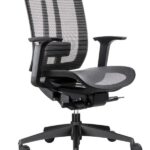
1. Mesh Back Ergonomic Task Chairs
Best for: Open plan offices, hot desk zones, and general task seating in Australian climates that run warm for much of the year.
Key features to look for:
- Mesh back for airflow, with a contoured frame that follows the spine
- Height adjustable lumbar support or flexible lumbar band
- Foam or mesh seat with adjustable seat depth
- Height adjustable, and ideally width and depth adjustable, armrests
- Synchro tilt or dynamic recline with adjustable tension
- 5 star base and smooth castors suited to your flooring
Who they suit:
- Teams that sit for long blocks and work largely at computers
- Mixed height teams who need strong adjustability in shared chairs
- Workplaces in warmer Australian regions or glass heavy CBD offices
Typical price range in AUD: Mid tier, from [insert lower price] to [insert upper price] per chair, depending on mechanism complexity, warranty length, and material quality.
Why choose this type: You get a good balance of ergonomic features, breathability, and commercial durability without moving into premium executive pricing. For most Australian businesses, this is the core category for everyday task seating. If you are fitting out a startup or growing team, the guide on how to choose ergonomic office chairs for startups sits well alongside this section.
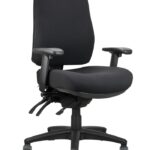
2. Fully Upholstered Ergonomic Task Chairs
Best for: Offices in cooler climates, spaces that prioritise acoustic softness, or workplaces that prefer a more traditional upholstered look across the floor.
Key features to look for:
- Fabric or similar upholstery over contoured back and seat
- Integrated or height adjustable lumbar shaping in the backrest
- Medium to high density foam that retains its shape under daily use
- Multi function or synchro tilt mechanism with tension control
- Height, width, and depth adjustable armrests
- Commercial grade fabrics that handle frequent cleaning
Who they suit:
- Teams in climate controlled or cooler Australian offices
- Workplaces that want a softer, more residential aesthetic
- Staff who prefer a cushioned feel under the legs and at the back
Typical price range in AUD: Similar to or slightly above mesh task chairs, depending on fabric grade and mechanism, typically [insert lower price] to [insert upper price] per chair.
Why choose this type: You get strong ergonomic function with a familiar upholstered profile that can integrate easily with broader furniture choices. If your office design leans toward classic or hospitality inspired interiors, upholstered ergonomic task chairs integrate cleanly with that style.
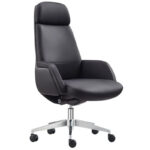
3. Premium Ergonomic Executive Chairs
Best for: Executive offices, boardrooms, client facing spaces, and senior roles that spend long hours at the desk and in virtual or in person meetings.
Key features to look for:
- High backrest, often with integrated headrest or neck support
- Thicker seat and back cushioning, or premium mesh with polished frame
- Refined multi function mechanism with smooth recline and multiple lockable positions
- Height, depth, and sometimes pivot adjustable armrests, often padded
- Higher weight capacity and reinforced base materials
- Premium finishes, such as high grade upholstery or leather style material
Who they suit:
- Leaders who divide their time between deep work and long meetings
- Boardrooms where visual impact and comfort both matter
- Taller users who benefit from higher back support
Typical price range in AUD: Upper mid to premium, often from [insert lower price] upwards to [insert higher price] per chair depending on materials and adjustability.
Why choose this type: You get a chair that supports extended sitting with a more plush look and feel, while still hitting core ergonomic points. These are typically not floor wide chairs, but they earn their keep in spaces where perception and comfort carry more weight. For more on how these work within meeting spaces, the piece on choosing the best meeting chairs pairs well with this section.
4. Compact Ergonomic Task Chairs For Small Offices
Best for: Small offices, co working pods, dense workstation layouts, and startups working in tight or non standard spaces.
Key features to look for:
- Slim backrest and narrower seat profile to reduce footprint
- Mesh or light upholstery to keep visual bulk down
- Core adjustments such as seat height, back tilt, and at least height adjustable armrests
- Shallower seat depth range to suit shorter users and compact desks
- Low or mid height back to avoid clashing with partitions or desk screens
Who they suit:
- Teams working from smaller offices in Australian CBDs
- Hot desk areas with tight spacing between workstations
- Shorter or petite users who often find standard chairs too deep or bulky
Typical price range in AUD: Lower to mid tier, from around [insert lower price] to [insert upper price] per chair, depending on mechanism and upholstery.
Why choose this type: You maintain good ergonomic fundamentals without overwhelming a small room or walkways. Pairing these chairs with space conscious desks is a practical way to protect movement and safety in small Australian offices, particularly if you are already using compact workstations similar to those discussed in the guide on desks for small spaces.
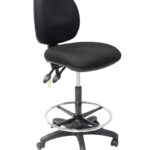
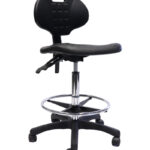
5. Drafting And Height Adjustable Ergonomic Chairs
Best for: Design benches, reception counters, standing height workstations, and any area where staff sit at a higher surface for extended periods.
Key features to look for:
- Extended gas lift with higher minimum and maximum seat heights
- Stable base and often a larger footprint to handle higher center of gravity
- Circular foot ring or platform to support the feet at elevated positions
- Backrest with lumbar contour, sometimes mesh, sometimes upholstered
- Optional armrests depending on task type and clearance under benches
Who they suit:
- Staff working at counters, drafting surfaces, or lab style benches
- Teams that alternate between sitting and standing at tall desks
- Roles that require good visibility over a space while seated
Typical price range in AUD: Broad spectrum, with entry drafting chairs around [insert lower price] and fully ergonomic drafting solutions with advanced mechanisms climbing to [insert upper price] and beyond.
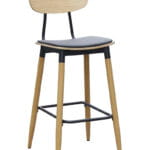
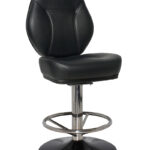
Why choose this type: A standard office chair rarely works well at bench height. Drafting and height adjustable ergonomic chairs protect posture and circulation by giving users proper foot support and a backrest that meets them at a higher level. They are an important part of a mixed height workstation strategy.
6. Heavy Duty Ergonomic Chairs For Larger Users
Best for: Workplaces that intentionally cater to larger body types or roles with prolonged sitting where a more robust frame, base, and mechanism are needed.
Key features to look for:
- Higher weight capacity rating compared with standard task chairs
- Wider seat pan and stronger foam or mesh support
- Reinforced base, often metal, and upgraded gas lift
- Backrest and armrests that do not pinch or restrict broader frames
- Mechanism tested and rated for heavier loads over long periods
Who they suit:
- Larger staff members who feel cramped or unsupported in standard chairs
- Roles with long continuous sitting, such as monitoring or control room work
- Workplaces that want clear, inclusive seating options for all body types
Typical price range in AUD: Usually above standard task seating due to enhanced construction, from around [insert lower price] to [insert upper price] or more per chair.
Why choose this type: These chairs protect comfort, safety, and dignity for larger users and often last longer under demanding use. They also reduce the risk of premature wear and component failure that can occur when standard chairs are used outside their intended weight range.
7. Ergonomic Meeting And Conference Chairs
Best for: Meeting rooms, training rooms, and boardrooms where people sit for moderate durations, often on and off through the day.
Key features to look for:
- Comfortable backrest with at least some lumbar contour
- Seat cushioning that stays comfortable across [insert duration] meetings
- Swivel base for boardrooms or static frames for training rooms
- Simple height adjustment and basic tilt, or a gentle rocking mechanism
- Nesting or stackable options for flexible training or workshop spaces
Who they suit:
- Staff and visitors in meeting rooms and collaboration zones
- Training spaces where chairs are moved and stored frequently
- Boardrooms where you want both comfort and a cohesive look
Typical price range in AUD: Wide spread, from entry ergonomic meeting chairs around [insert lower price] through to higher specification boardroom seating in the [insert upper price] range per chair.
Why choose this type: While these chairs often have fewer adjustment points than dedicated task chairs, good ergonomic meeting seating still offers support for the back and adequate cushioning, which helps keep people present and focused during longer sessions.
8. Mesh Versus Padded Seats: How To Choose For Your Team
Across most of these categories, you will often have a choice between a mesh seat and a padded foam seat.
Mesh seats typically offer:
- Excellent breathability, useful in hotter Australian climates
- Even weight distribution when tensioned and framed correctly
- A more minimal profile that can work well in modern interiors
Padded seats typically offer:
- A familiar cushioned feel that some staff prefer
- More options for fabric colours and textures
- Better comfort for very low or very high users when paired with the right foam density
A simple selection framework:
- If your office is warm for a large part of the year, lean toward mesh backs, and consider mesh seats for your most intensively used chairs.
- If you are designing a quieter, softer environment, or staff strongly prefer a cushioned seat, choose quality foam with proven resilience instead.
- For mixed environments, specify mesh task chairs in open plan zones, and padded seats in executive or enclosed offices for contrast.
9. Comparison Snapshot: Chair Types, Features, And Typical Price Bands
Use this table as a quick reference as you shortlist models. It summarises how each main chair type aligns with adjustability, material, and typical price bands in Australian dollars.
| Chair Type | Typical Material | Adjustability Level | Support Focus | Typical Price Range (AUD) | Best For |
|---|---|---|---|---|---|
| Mesh Back Ergonomic Task Chair | Mesh back, mesh or padded seat | High, multi point adjustments | Breathable lumbar and back support | [insert lower price] to [insert upper price] | General task seating, hot desks, open plan offices |
| Fully Upholstered Ergonomic Task Chair | Fabric upholstered back and seat | High, multi function mechanisms | Cushioned support with full back contact | [insert lower price] to [insert upper price] | Cooler offices, traditional interiors, focus areas |
| Premium Ergonomic Executive Chair | Premium mesh or upholstery with padded armrests | High, refined controls and recline | Long session comfort, head and neck support | [insert lower price] to [insert upper price]+ | Executive offices, boardrooms, senior roles |
| Compact Ergonomic Task Chair | Mesh or light upholstery | Medium to high, in smaller frame | Support within a small footprint | [insert lower price] to [insert upper price] | Small offices, co working pods, petite users |
| Drafting / Height Adjustable Ergonomic Chair | Mesh or upholstered back, padded seat | Medium to high, with extended gas lift | Support at bench height, with foot ring | [insert lower price] to [insert upper price]+ | Reception counters, design benches, tall desks |
| Heavy Duty Ergonomic Chair | Reinforced frame, mesh or upholstery | Medium to high, rated for larger users | Wide, robust support and higher capacity | [insert lower price] to [insert upper price]+ | Larger users, intensive sitting roles |
| Ergonomic Meeting / Conference Chair | Mesh or upholstered back and seat | Basic to medium, simple controls | Comfort for moderate meeting durations | [insert lower price] to [insert upper price] | Meeting rooms, training rooms, visitor spaces |
Use this section as your shortlisting tool.
Start by matching chair type to each area of your office, then layer on the buying criteria from the previous section. Once you know which types you need, you can compare individual ergonomic models in the Australian market by focusing on adjustability, materials, warranty, and price bands that fit your budget and usage patterns.
Side‑By‑Side Comparison: Ergonomic Chair Types For Australian Workplaces
You have the chair types and the buying checklist. This section pulls everything into one place so you can compare options quickly and choose what fits each part of your office in Australia.
Use this as a working tool while you shortlist models and build your budget.
Quick Comparison Table: Features, Price Bands, And Best Fit
The table below compares the main ergonomic chair categories on the features that matter most in Australian workplaces. All price bands are shown as typical ranges in Australian dollars, using placeholders so you can plug in live figures from your own quotes or from resources like the office furniture pricing guide.
| Chair Type | Adjustability | Material & Breathability | Support Style | Warranty & Durability | Typical Price Band (AUD) | Best For |
|---|---|---|---|---|---|---|
| Mesh Back Ergonomic Task Chair |
|
|
|
|
[insert lower price] to [insert upper price] |
|
| Fully Upholstered Ergonomic Task Chair |
|
|
|
|
[insert lower price] to [insert upper price] |
|
| Premium Ergonomic Executive Chair |
|
|
|
|
[insert lower price] to [insert upper price]+ |
|
| Compact Ergonomic Task Chair |
|
|
|
|
[insert lower price] to [insert upper price] |
|
| Drafting / Height Adjustable Ergonomic Chair |
|
|
|
|
[insert lower price] to [insert upper price]+ |
|
| Heavy Duty Ergonomic Chair |
|
|
|
|
[insert lower price] to [insert upper price]+ |
|
| Ergonomic Meeting / Conference Chair |
|
|
|
|
[insert lower price] to [insert upper price] |
|
Pros And Cons By Chair Category
To narrow the field further, use this pros and cons breakdown as a quick decision filter.
Mesh Back Ergonomic Task Chairs
- Pros:
- High breathability for Australian heat
- Strong ergonomic adjustment set for most users
- Good balance between cost, comfort, and durability
- Cons:
- Some staff prefer a softer, cushioned back feel
- Lower quality mesh can sag if not truly commercial grade
Fully Upholstered Ergonomic Task Chairs
- Pros:
- Familiar cushioned feel that many staff like
- Quieter acoustically in hard surfaced offices
- Wide fabric colour and texture options for design flexibility
- Cons:
- Can feel warmer in offices without strong cooling
- Fabric shows marks more readily in high use areas
Premium Ergonomic Executive Chairs
- Pros:
- Excellent comfort for long seated sessions
- High perceived value for clients and senior staff
- Often higher weight capacity and refined mechanisms
- Cons:
- Higher price per chair, less practical for floor wide rollout
- Bulkier frames that can crowd smaller rooms
Compact Ergonomic Task Chairs
- Pros:
- Save space in tight workstation layouts
- More proportionate for shorter or petite staff
- Often more affordable than full size premium models
- Cons:
- Less comfortable for very tall or broad users
- Some models reduce adjustability to stay compact
Drafting / Height Adjustable Ergonomic Chairs
- Pros:
- Match tall desks and counters safely
- Foot ring supports circulation at higher seat positions
- Protect posture where standard chairs fall short
- Cons:
- Not suitable for standard desk heights in the same way
- Higher centre of gravity requires careful base selection
Heavy Duty Ergonomic Chairs
- Pros:
- Inclusive option for larger body types
- More robust parts handle demanding use
- Can outlast lighter chairs in intensive roles
- Cons:
- Higher purchase price per unit
- Wider footprint, which needs more floor space
Ergonomic Meeting / Conference Chairs
- Pros:
- Balanced comfort for short to medium sessions
- Often stackable or nestable for flexible rooms
- Lower cost per seat for high chair counts
- Cons:
- Less adjustability than full task chairs
- Not ideal as a primary chair for all day computer work
How To Use This Comparison In Your Buying Process
To keep your decision structured, work through these steps before you request quotes or visit a showroom.
- Match chair categories to zones. Decide which areas of your office need:
- All day task seating
- Executive or client facing seating
- Meeting and training seating
- Bench height seating
- Set a price band per zone. For each zone, use placeholders like:
- Task chairs: [insert budget range] per chair
- Executive chairs: [insert budget range] per chair
- Meeting chairs: [insert budget range] per chair
- List must have features for each category, based on:
- Adjustability needs
- Climate and material preferences
- Body type diversity across your team
- Shortlist 2 to 3 models per category that meet your feature list and sit within your budget bands.
- Check warranty and service for each shortlisted option, including:
- Warranty length per component
- Local service coverage in your city
- Lead times for [insert quantity] chairs
If you want help aligning this comparison with a full fit out budget, it pairs well with resources like the small business office fit out cost breakdown, where you can slot ergonomic chairs into a broader spend plan.
The outcome you are aiming for is simple. One or two ergonomic chair categories for everyday use, backed by clear pros and cons, realistic price bands, and warranties that make sense for Australian commercial environments. Once you have that, individual model selection becomes a much faster, more confident process.
Maintenance And Longevity Tips For Ergonomic Office Chairs
You get the best value from ergonomic chairs when they stay comfortable, clean, and mechanically sound for as long as possible. That does not happen by accident. It comes from a simple, consistent care routine that suits Australian conditions and the way your team actually uses the chairs.
The goal is straightforward.
Keep your chairs safe, supportive, and presentable for their full expected life, so you are not constantly replacing gas lifts, dealing with wobbly bases, or fielding complaints about sagging seats.
1. Set Up A Simple Maintenance Schedule
You do not need a complicated program, but you do need structure. Treat your ergonomic chairs like any other piece of commercial equipment.
- Daily or weekly: Quick visual checks by staff and cleaners for spills, obvious damage, and loose parts.
- Quarterly: Short inspection by an office manager or facilities contact to test adjustments and look for early wear.
- Annually: More thorough review where you log any issues, plan repairs, and decide whether any chairs should be rotated or retired.
If you already have a process for other furniture, such as the frameworks covered in this commercial furniture care guide, add chairs into that workflow so maintenance happens as a routine, not as a crisis response.
2. Cleaning Fabric, Mesh, And Leather Style Surfaces
Australian offices deal with heat, dust, air conditioning, and staff who often eat or drink at their desks. That combination can age fabrics and finishes quickly if they are not looked after.
Fabric And Mesh Seats Or Backs
- Regular dust removal: Use a vacuum with a soft brush attachment along the seat, back, and seams. This reduces grit that can wear through fibres over time.
- Spot cleaning spills fast: Blot, do not rub, with an absorbent cloth. Use a mild fabric cleaner or a solution approved by the chair manufacturer. Test on an inconspicuous area first.
- Deep clean schedule: For busier offices, plan a light upholstery clean at [insert interval], either with in house equipment or a professional service that knows commercial fabrics.
- Avoid harsh products: Skip bleach, strong solvents, or scrubbing pads. These can damage protective coatings and fade colours.
Leather Or Leather Style Finishes
- Wipe down regularly: Use a soft, slightly damp cloth to remove dust, then dry with a clean towel. Keep moisture to a minimum.
- Use the right cleaners: Apply only cleaners and conditioners recommended for that specific material. Many executive chairs use coated or synthetic leathers that need different products than natural leather.
- Protect from direct sun: In Australian offices with large windows, position executive chairs so they are not sitting in direct sunlight all day, which can cause cracking and fading.
- Watch contact points: Armrests and seat edges tend to show wear first. Clean these more often and avoid sharp objects like belt buckles or metal clips that can scratch.
For broader strategies that connect chair care with other pieces in your fit out, the practical tips in this furniture care resource are a useful reference.
3. Protecting Chairs From Australian Heat, Dust, And Moisture
Local conditions affect how fast chairs age, especially mesh and foam components.
- Manage heat build up: In warmer regions or glass heavy offices, choose mesh backs and breathable fabrics, then support that choice with effective air conditioning and blinds or films that reduce direct sun.
- Limit dust accumulation: In locations near construction zones or industrial areas, dust settles quickly on chair bases and mechanisms. Regular vacuuming around castors and under desks helps stop grit from working into moving parts.
- Keep moisture under control: Avoid leaving chairs in damp storage rooms or near open windows during heavy rain. Excess moisture can affect metal components and encourage mould in seat foams.
Small steps here improve how the chair feels and extend the life of fabrics, mechanisms, and gas lifts.
4. Periodic Checks Of Adjustment Mechanisms
Adjustability is the core of an ergonomic chair. If levers fail, tilt feels rough, or gas lifts slip, staff will stop adjusting chairs correctly and comfort drops fast.
Set a basic mechanism check at least once each year, or more often in intensive use areas.
- Seat height and gas lift:
- Raise and lower the chair several times. It should move smoothly without jerks.
- Sit at full height. The seat should hold its position without sinking during a normal work session.
- Backrest tilt and lock:
- Lean back and forward, then engage and release the tilt lock.
- Check that the backrest stays locked when it should and moves freely when unlocked.
- Seat slide and depth adjustment:
- Slide the seat through its full range. It should click or lock securely at each position.
- Ensure there is no excessive lateral wobble in the seat pad.
- Armrest adjustments:
- Raise, lower, and, if available, move armrests in and out or forward and back.
- Tighten any loose fixing screws beneath the arm pads or at the frame.
If any control feels inconsistent, noisy, or loose, organise a repair before the issue grows. In many cases, small adjustments or part replacements cost far less than a full chair replacement.
5. Caring For The Base, Castors, And Frame
The base is the safety anchor for the chair. If it fails, you are dealing with real risk on the floor.
- Inspect the base: Look for cracks, chips, or any sign that one leg is bending out of shape. Replace damaged bases immediately.
- Keep castors clean: Hair, dust, and debris collect around castor stems. Remove chairs from desks periodically and clear the castors by hand or with a vacuum.
- Match castors to flooring:
- Use hard floor castors or protective mats on timber, vinyl, or polished concrete.
- Use carpet castors on carpet tiles or broadloom.
- Check for rust or corrosion: In coastal or humid Australian locations, pay extra attention to metal frames and exposed screws, especially on chairs stored near exterior doors.
When the base and castors roll easily and stay structurally sound, everyday use feels better and the rest of the chair is placed under less stress.
6. Training Staff To Use Chairs Correctly
One of the fastest ways to shorten a chair’s life is incorrect use. Simple training reduces both wear and complaints.
- Show staff the adjustment points: During onboarding or after a chair rollout, spend a few minutes walking through seat height, seat depth, backrest tilt, lumbar positioning, and armrest controls.
- Discourage misuse:
- No standing on chairs to reach shelves.
- No leaning back on two castors, which strains the base and gas lift.
- No riding or racing chairs across long corridors.
- Encourage small posture changes: Teach staff to use recline and tilt rather than sitting rigidly in one position all day. This uses the mechanism as intended and improves comfort.
- Set clear reporting lines: Ask people to report squeaks, wobbles, or sinking seats early. Dealing with issues at this stage is cheaper and safer.
A short, practical chair use guide, shared in your onboarding pack or intranet, keeps expectations consistent for everyone.
7. Rotating Chairs Across The Office
In many Australian offices, some chairs sit in constant use while others in meeting rooms or quieter corners are barely touched. Over time, that creates uneven wear.
- Identify high use zones: Open plan workstations, reception, and 24 hour roles often see the most intense use.
- Rotate compatible chairs: Every [insert interval], move a portion of chairs from lower use areas, such as occasional meeting rooms, into higher use zones and vice versa.
- Keep similar models grouped: When you rotate, keep the same chair types together so staff do not have to relearn different mechanisms at random desks.
This approach spreads wear across more units and gives you extra time before any single group of chairs needs large scale replacement.
8. When To Repair Versus Replace
Good maintenance does not mean you keep every chair forever. It means you know when a simple fix is enough and when it is smarter to move on.
- Repair candidates:
- Loose armrests that only need screws tightened or a simple replacement part.
- Gas lifts that have started to sink but are otherwise paired with a sound frame and upholstery.
- Castors that no longer roll well, especially on otherwise solid chairs.
- Replace candidates:
- Seats that have lost shape or support, where foam does not rebound.
- Backrests with broken frames or cracked plastic components.
- Bases with visible cracks, or chairs that feel unstable even after tightening fixings.
- Chairs that no longer meet your ergonomic standards or current WHS guidance, even if they still function mechanically.
When you replace, treat it as an opportunity to align with your current ergonomic criteria and standardise models across the office, rather than grabbing a one off chair that does not match anything else.
9. Storing Spare Or Seasonal Chairs Correctly
Many businesses keep a small pool of spare chairs or store surplus seating after a reconfiguration. Storage conditions matter if you want those chairs to be usable later.
- Store in a dry, shaded space: Avoid areas that are damp, excessively hot, or exposed to direct sunlight through windows or roller doors.
- Keep chairs upright: Store them on their bases, not stacked on their sides, to avoid bending frames or deforming cushions.
- Use covers if practical: Light covers or dust sheets protect against dust and accidental paint or building work overspray.
- Move and test periodically: At [insert interval], roll stored chairs out, adjust them through their range, and check that mechanisms have not seized.
Good storage turns surplus chairs into a real asset when you add staff or need quick replacements, rather than a pile of unusable furniture.
10. Building Chair Care Into Your WHS And Procurement Processes
To keep everything consistent, connect chair maintenance with your wider health and safety and purchasing practices.
- Add chair checks to workstation assessments: When you review a person’s desk height and screen setup, include a quick check that their chair is adjusted correctly and still performing as it should.
- Log makes, models, and purchase dates: Maintain a simple register so you know how old each batch of chairs is and what warranty support still applies.
- Align care with supplier guidance: Follow the cleaning and maintenance recommendations in your chair documentation so you stay within warranty terms.
- Review performance before reordering: Before buying more of an existing model, check how the first batch has aged. If wear is higher than expected, consider updating your specification.
When care, usage, and procurement all line up, your ergonomic chairs do what you paid for. They support staff properly, hold their shape, and stay presentable across Australian conditions without constant, reactive repairs.
Where To Buy Ergonomic Office Chairs In Australia
You have a clear idea of the chair features you want. The next step is working out where to buy ergonomic office chairs in Australia so you get the right mix of quality, delivery, and support for your business.
In practice, most Australian workplaces buy through a mix of local office furniture retailers, specialist commercial suppliers, and online stores. Each option has strengths and trade offs in price, lead times, returns, and after sales support.
The goal is simple.
Choose a supplier that understands commercial use, offers chairs that match your ergonomic brief, and can support you through delivery, setup, and warranty across Australian locations.
Main Buying Channels For Ergonomic Chairs In Australia
1. Specialist Office Furniture Showrooms And Suppliers
Dedicated office furniture suppliers are often the most reliable choice for ergonomic chairs in business and professional settings.
What you can expect:
- A curated range of commercial grade ergonomic chairs that are designed for daily office use.
- Staff who understand ergonomics, WHS expectations, and fit out requirements, not just retail sales.
- Access to samples and showroom testing, so you can sit in different chairs before committing.
- Support with space planning and matching desks, workstations, and chairs, which is valuable for full fit outs.
For example, a supplier like Richmond Office Furniture focuses on office chairs, desks, and commercial furniture for Australian workplaces. That focus usually translates into better product selection, clearer advice, and more predictable delivery and service than general retailers.
Best for:
- Small to large businesses that want cohesive, long term seating solutions.
- Startups planning a first proper office fit out who need guidance plus product, not just boxes on a pallet.
- Office managers standardising seating across multiple floors or locations.
2. Local Retailers And General Furniture Stores
Many Australian cities have furniture stores that stock some ergonomic style office chairs alongside general furniture.
Pros:
- Chairs are easy to see and test in person.
- You may be able to buy a small number of chairs quickly if stock is on hand.
- Occasional promotions or clearance sales can bring prices down on specific models.
Watch points:
- Not all chairs are commercial grade. Many are designed for home use with lighter duty expectations.
- Warranty and service can be limited or focused on consumer use rather than daily office demands.
- Ranges change often, which makes it harder to standardise one model across your organisation.
Best for:
- Single professionals looking for one or two chairs quickly.
- Very small teams testing basic ergonomic seating before planning a full office rollout.
3. Online Office Furniture Stores
Online suppliers have become a common way to buy ergonomic chairs across Australia, particularly when you already know the key specs you want.
Pros:
- Easy to compare models, specs, and prices in one place.
- Clear access to product descriptions, dimensions, and warranty details.
- Convenient for multi site ordering, especially across different states.
Watch points:
- You cannot physically test the chair unless the supplier also has a showroom.
- Return freight for bulky items can be expensive or restricted.
- Not every online chair that looks ergonomic is built for full time commercial use.
When buying online, choose established business focused suppliers rather than generic marketplaces. A dedicated office furniture store with a clear shipping policy and returns policy in Australia gives you more clarity than a one off importer.
4. Bulk And Contract Furniture Suppliers
If you are fitting out a larger office, multiple floors, or several locations, contract or project focused suppliers can be useful.
What they offer:
- Support for bulk orders and staged deliveries.
- Assistance with standardising a chair model across your organisation.
- Options for installation, after hours delivery, and coordinated staging.
Some suppliers publish guides on handling bulk orders and logistics, similar to the approach used in resources like after hours installation for CBD offices. That kind of experience helps reduce disruption during your rollout.
Best for:
- Growing companies moving into larger premises.
- Multi site organisations that want consistent ergonomic standards.
- Projects where timing, access, and staging are as important as the product itself.
Key Delivery Considerations For Australian Workplaces
Delivery can make or break an ergonomic chair rollout, especially in CBD towers, business parks, or mixed use buildings.
Questions to ask any supplier:
- What areas do you deliver to?
- Confirm coverage for your city or region, including any extra charges for remote or regional areas.
- Ask if delivery includes to door, to floor, or full placement at each workstation.
- Is assembly included?
- Some chairs arrive largely assembled, others need backs, arms, bases, and mechanisms put together.
- Check whether the supplier offers on site assembly and if that is included or charged separately.
- What are the typical lead times?
- Clarify standard lead times for the exact model and quantity you want.
- Ask about stock levels and whether all finishes and options you have chosen are readily available.
- Can you support after hours or staged deliveries?
- In busy CBD buildings, after hours delivery can minimise disruption to staff and neighbours.
- For large rollouts, staged deliveries help align chairs with desk installations and staff moves.
Experienced office furniture suppliers handle this routinely. They coordinate with building management, understand lift access and loading docks, and provide a clear plan, particularly for CBD and multi level offices.
Return Policies And Trial Options In Australia
Returns and trials are where local, business focused suppliers typically stand out from general retail or marketplace sellers.
Key things to consider:
- Change of mind versus faulty items:
- Most suppliers treat faulty or damaged products differently to change of mind returns.
- Check what happens if a chair arrives damaged or with a manufacturing defect and what timeframes apply for reporting issues.
- Return windows and conditions:
- Look for clear information on how long you have to request a return.
- Understand requirements such as original packaging, unused condition, and whether restocking fees apply.
- Return freight:
- Chair cartons are large and heavy, so freight costs can be significant.
- Ask who pays for return shipping in different scenarios, such as change of mind or mis ordered configurations.
- Trial and sample chairs:
- Some business focused suppliers can arrange trial units for ergonomic task chairs.
- Trials may involve a short term loan of a chair for your office so staff can test comfort and adjustment in real conditions.
Before placing a larger order, read the supplier’s refund and returns policy in full and confirm any details that are unclear. It is far easier to sort this out up front than after [insert quantity] chairs have arrived.
After Sales Support And Warranty In Australia
Ergonomic chairs are moving equipment. Over their life, you may need help with parts, repairs, or warranty claims. Strong after sales support is a major reason to favour reputable office furniture suppliers.
What good support looks like:
- Clear warranty documentation:
- Written details of warranty length for frames, mechanisms, upholstery, and gas lifts.
- Any weight or usage limits that affect coverage in commercial environments.
- Local contact and service:
- An Australian phone number or direct email, not only an offshore contact form.
- Access to spare parts and technicians for common issues like gas lift replacement or mechanism adjustment.
- Reasonable response times:
- Clear pathways for logging issues, ideally through a dedicated support or quote request form for businesses.
- Indicative timeframes for assessing and resolving claims.
- Guidance on care and adjustment:
- Instructions, videos, or PDFs that make it easy for staff to set up chairs correctly.
- Simple cleaning and maintenance recommendations aligned with your warranty terms.
With a strong supplier relationship, you are not just buying chairs. You are gaining a partner who helps keep those chairs safe, comfortable, and compliant through their entire lifecycle.
Choosing The Right Supplier For Your Situation
To decide where to buy, match your situation to the supplier type.
- Solo professionals or very small teams:
- One or two chairs can come from specialist online stores or local showrooms.
- Prioritise suppliers who stock commercial quality chairs even for small orders.
- Growing startups and SMEs:
- Work with a dedicated office furniture supplier that understands budgets and growth, and can scale with you.
- Look for help aligning chairs with desks, storage, and broader fit out choices, similar to the planning thinking in this office furniture productivity guide.
- Established businesses and multi site organisations:
- Choose a supplier that can handle contract level orders, national delivery, and coordinated installation.
- Standardise on one or two ergonomic chair models with clear warranties and documented specs.
Before you commit, answer these questions for any shortlisted supplier:
- Do they stock chairs that match your ergonomic criteria, not just generic office seating?
- Are their delivery, returns, and warranty policies clear and suitable for a business environment?
- Can they support you as you grow, including additional orders and replacement parts in future years?
If the answer is yes on all three, you have likely found a dependable place to buy ergonomic office chairs for your Australian workplace.
Comprehensive FAQ: Ergonomic Office Chairs For Australian Workplaces
This FAQ section answers the questions business owners, startup founders, office managers, and professionals in Australia ask most often before they invest in ergonomic office chairs. Use it as a quick reference while you compare options and build your purchasing plan.
How do I choose the right ergonomic chair for my team?
Start with your people and your workstyle, not the chair brochure.
- List your main roles and tasks: Computer based work, calls, design work at benches, reception, meetings, or a mix.
- Map chair types to zones:
- General task chairs for everyday desk work.
- Executive or boardroom chairs for senior roles and client spaces.
- Drafting or high chairs for tall counters or benches.
- Meeting and training chairs for shorter sessions.
- Define non negotiable ergonomic features for task seating:
- Seat height adjustment that fits your desk heights.
- Seat depth adjustment or a depth that suits a wide range of staff.
- Backrest with real lumbar support, not just a curve in the plastic.
- Armrests that adjust to match your desks.
- Recline or tilt that allows comfortable movement.
- Factor in climate and materials:
- Mesh backs for warmer offices or glass heavy CBD spaces.
- Upholstered backs for cooler or more traditional interiors.
- Set clear price bands per zone, using placeholders such as:
- Task chairs: [insert budget range] per chair.
- Executive chairs: [insert budget range] per chair.
- Meeting chairs: [insert budget range] per chair.
For startups and growing teams, it often makes sense to adopt one strong ergonomic task chair as the standard. Once you know what that looks like, you can layer a smaller number of higher specification executive chairs or specialised drafting chairs where needed. If you are at that stage, you may find the guide on choosing ergonomic office chairs for Australian startups a useful companion resource.
Are ergonomic chairs suitable for all body types?
No single chair works perfectly for every body, but you can get very close if you focus on the right specs and, where needed, include a few specialised options.
For most of your team, one well chosen ergonomic task chair will be enough. Look for:
- Generous adjustment ranges in seat height and depth so shorter and taller staff can sit with feet flat and backs supported.
- Adjustable lumbar support or a moving backrest so people can position support where their lower back needs it.
- Armrests with height and width adjustment so narrow and broad shoulders are both comfortable.
- Weight capacity that covers a wide slice of your workforce, not just the average.
In many Australian workplaces, it also makes sense to add heavy duty ergonomic chairs for larger staff and compact ergonomic chairs for shorter or petite staff who find standard chairs too deep or wide.
A practical approach looks like this:
- Choose one primary ergonomic task chair that suits the majority of staff.
- Identify team members who sit outside that size range or have specific needs.
- Provide a small pool of alternative models, such as heavy duty or compact chairs, so everyone can sit in a way that feels stable and supported.
The key is to treat inclusive seating as part of your normal procurement approach, not a one off workaround when someone raises a concern.
What is the average cost of a quality ergonomic office chair in Australia?
Quality ergonomic chairs sit in clear price bands once you strip away marketing language and look only at adjustability, materials, and warranty.
- Entry ergonomic task chairs:
- Basic height adjustment, simple tilt, and limited armrest movement.
- Typical range: around [insert lower price] to [insert upper price] per chair.
- Mid range ergonomic task chairs:
- Multi point adjustment, better lumbar support, and commercial grade mesh or upholstery.
- Typical range: roughly [insert lower price] to [insert upper price] per chair.
- Premium and executive ergonomic chairs:
- Refined mechanisms, premium finishes, headrests, and higher weight capacities.
- Typical range: from [insert lower price] upwards, with some models above [insert upper price] per chair.
- Heavy duty or specialised ergonomic chairs:
- Enhanced frames and components for larger users or intensive roles.
- Typical range: from around [insert lower price] up to [insert upper price]+ per chair.
When you compare quotes, focus on value per sitting hour rather than headline price. A mid range chair that stays comfortable, adjustable, and structurally sound across its full warranty period usually works out cheaper than a low cost chair you replace early because staff cannot sit in it comfortably.
If you want help positioning chair costs inside a broader spend, resources like the content on the benefits of quality office furniture for productivity can help frame the conversation with finance and leadership.
Can ergonomic chairs help reduce workplace injuries?
Ergonomic chairs are one part of your injury prevention strategy, not a magic solution on their own. Used correctly, they can help reduce the risk of discomfort and some types of musculoskeletal strain associated with desk work.
Where they make a difference:
- Lower back: Proper lumbar support and seat depth reduce constant slumping and loading in the lower spine.
- Neck and shoulders: Correct armrest height and backrest alignment reduce shrugging, forward head posture, and tight upper traps.
- Hips and legs: Seat height and depth adjustment reduce pressure at the backs of the thighs and support better circulation.
- General fatigue: Ability to recline and vary posture lowers stiffness from sitting in a single, locked position for long periods.
To see real benefit, you also need:
- Desks at suitable heights for the chairs you choose.
- Monitors and laptops positioned to avoid neck twisting and constant looking down.
- Workstation assessments and basic training on how to adjust chairs correctly.
- Encouragement for staff to change posture and take short movement breaks.
So yes, ergonomic chairs can help reduce some workplace strain and discomfort, especially when combined with a broader ergonomic setup and sensible working habits. They should sit alongside, not replace, your wider work health and safety processes.
What ergonomic features should every office chair have?
If you strip it back to fundamentals, a chair that will serve in a professional Australian office should have at least the following:
- Seat height adjustment with a range that fits your staff and your desk heights.
- Backrest with lumbar support, either built in or adjustable, that supports the natural curve of the spine.
- Back tilt or recline so staff can lean back slightly while still feeling supported.
- Stable 5 star base with castors suited to your flooring.
- Armrests that at least adjust in height so shoulders can relax.
For main task chairs, it is worth stepping up to:
- Seat depth adjustment so shorter and taller users can both sit all the way back.
- 2D or 3D armrests for finer alignment with desks.
- Synchro tilt or similar mechanisms that allow smooth, balanced recline.
- Breathable materials that make sense in your climate and building.
Use this list as your minimum standard. If a chair lacks several of these features, it is better suited to occasional use than full time desk work.
How do I know if a chair is “ergonomic” and not just labelled that way?
Many chairs use the word ergonomic loosely. Check the details.
True ergonomic chairs typically have:
- More than one or two adjustment levers.
- Clear seat height, seat depth, and backrest specifications.
- A defined weight capacity rating.
- A warranty that reflects expected daily office use.
- A backrest shape that clearly supports the lumbar curve.
Red flags that a chair might be “ergonomic” in name only:
- Only basic height adjustment and nothing else.
- No mention of lumbar support or backrest design.
- No published weight capacity or only a very low rating.
- Very short warranty periods for commercial use.
If you are unsure, ask the supplier to walk you through the adjustment points, weight rating, and intended usage context. Serious ergonomic chairs for commercial environments will have detailed specification sheets, not just lifestyle photos.
What warranty and return policies should I expect in Australia?
Warranty and returns vary by supplier, but there are some common patterns you can look for when buying ergonomic chairs for business use.
Typical warranty inclusions:
- Frame and base: Often covered for a longer period, such as [insert duration] or more, depending on the model.
- Mechanisms and moving parts: Covered for a defined period that reflects normal commercial use, such as [insert duration].
- Upholstery and mesh: Typically a shorter period, for example [insert duration], because fabrics wear faster than frames.
- Weight and use limits: Warranty may specify a maximum user weight or intended duty cycle, such as standard office hours versus 24 hour use.
On return and refund policies, expect clarity on:
- What happens if a chair arrives damaged or with a defect.
- How quickly you must report any issues.
- Whether change of mind returns are accepted and on what terms.
- Who covers freight costs in different scenarios.
For business purchases, it is worth reading the supplier’s detailed terms of service rather than relying only on a short FAQ. That document usually sets out how warranty, liability, and returns are handled for commercial buyers.
How long should a good ergonomic office chair last?
There is no single lifespan that fits every Australian workplace, because usage patterns and environments vary. Instead, use warranty length and build quality as a guide.
- Entry chairs with lighter components and shorter warranties are generally suited to lower intensity use or shorter expected life cycles.
- Mid range commercial task chairs with solid mechanisms and reasonable warranties are typically chosen for multi year daily use.
- Premium and heavy duty chairs with reinforced parts and longer structural warranties are designed for longer service in more demanding environments.
To get the best life from any chair:
- Follow the supplier’s recommended maintenance and cleaning practices.
- Ensure users stay within the stated weight capacity.
- Repair minor issues early instead of waiting for complete failure.
- Rotate chairs across high and moderate use zones when practical.
In most Australian offices, well specified ergonomic chairs that are used correctly and maintained sensibly stay in comfortable, safe service across the full span of their warranty and often beyond.
How many ergonomic chairs should I budget for in a hybrid or hot desk office?
Hybrid work and hot desking change the maths slightly compared with fully allocated seating, but the same principle applies. People still need a supportive chair whenever they are in the office.
Use this simple framework.
- Estimate peak on site staff:
- Look at typical in office days across the week.
- Identify the busiest days and estimate the maximum number of people on site at once.
- Match chairs to workpoints:
- Provide one ergonomic task chair for each dedicated workstation.
- For hot desk areas, aim for one task chair per hot desk, with a small buffer of spare chairs, such as [insert buffer number] per [insert workstation count].
- Equip meeting rooms with enough ergonomic meeting chairs to match typical attendance, not just the table size.
- Plan for growth and visitors:
- Keep a small pool of extra chairs in storage for new hires or temporary staff.
- Ensure visitor or client areas have supportive seating, not leftover task chairs that no one likes.
The exact numbers will depend on your space and work patterns, but the standard to hold is clear. Nobody should be forced onto an unsuitable or damaged chair just because the office happens to be busy that day.
Should I prioritise chairs or desks first in my budget?
Both matter, but if you have to prioritise one area in a staged upgrade, start with chairs for full time desk users.
Here is why.
- The chair has direct, constant contact with the body for long stretches of the day.
- A well chosen ergonomic chair can still work reasonably with an existing fixed height desk, as long as you manage screen and keyboard placement.
- Poor chairs undermine the benefits of good desks, while good chairs can partially offset less than ideal desks until you upgrade them.
A practical staged approach looks like this:
- Upgrade task chairs for staff who sit the most.
- Then address desks, such as moving to height adjustable options in priority areas, using advice from resources like standing desk vs sitting desk comparisons.
- Round out with meeting and collaboration seating, plus any specialised chairs for benches or counters.
This way, the people who are most exposed to sitting related strain benefit first, while you build toward a fully aligned ergonomic setup across the office.
Do I need different chairs for meeting rooms and workstations?
In most Australian offices, yes, at least for the more formal or larger meeting rooms.
Workstation chairs are designed for long hours of individual use, with maximum adjustability and more complex mechanisms.
Meeting and conference chairs are designed for shorter sessions and group use, with simpler adjustments and frames that work around tables and in flexible room layouts.
A practical setup is:
- Use full ergonomic task chairs at permanent desks and high use hot desk areas.
- Specify ergonomic meeting chairs for:
- Formal boardrooms.
- Project and training rooms.
- Enclosed meeting spaces where people sit for [insert duration] at a time.
- Use simpler visitor chairs only for very short stays, such as reception waiting areas.
This balance manages cost while still giving staff and visitors reasonable support wherever they sit.
How do I get staff to actually adjust and use ergonomic chairs properly?
The best chair in the world does little if people leave it at default settings. You need a simple, repeatable way to help staff adjust their chair for their body and desk.
Use this basic setup script in onboarding or during a rollout.
- Seat height:
- Set height so feet rest flat on the floor or on a footrest.
- Knees roughly level with, or slightly below, hips.
- Seat depth:
- Sit back so the spine touches the backrest.
- Adjust depth so there is a small gap between the front of the seat and the back of the knees.
- Lumbar position:
- Move lumbar support or backrest height until it sits in the curve of the lower back.
- Armrests:
- Raise or lower until forearms can rest lightly at desk height, with shoulders relaxed.
- If width or depth adjusts, set them close enough to support the arms without forcing elbows too wide or tight.
- Tilt and recline:
- Set tension so leaning back feels controlled but not stiff.
- Use an upright lock for focused typing, and a slight recline for reading or calls.
Back this up with a one page guide on your intranet and occasional reminders during workstation assessments. When adjustment becomes normal, your investment in ergonomic chairs pays off far more quickly.
The core message across all these questions is simple. Treat ergonomic chairs as long term tools for health, comfort, and performance, not as a last minute line item. When you choose them carefully, support them with sensible policies, and help staff use them properly, they contribute directly to a safer, more productive workplace in Australia.
Conclusion: Choose Chairs That Work As Hard As Your Team
You have looked at why ergonomic office chairs matter, what features to prioritise, which chair types suit different zones, how to compare them, how to look after them, and where to buy them in Australia. The picture is clear.
A well chosen ergonomic chair is practical risk management, daily comfort, and a quiet productivity tool rolled into one.
For Australian workplaces, this is not theory. Staff are sitting through long days at computers in climates that can run warm, inside offices that often mix hot desking, hybrid work, and tight floorplates. If the chair does not adjust properly, does not breathe in local conditions, or starts to wobble after a short period, your team feels it every hour.
On the other hand, when you invest in proper ergonomic seating, you gain several concrete advantages.
- Better posture and reduced discomfort, because seat height, depth, lumbar support, and armrests can all be tuned to the individual.
- More consistent focus, because people are not constantly distracted by sore backs, stiff necks, or numb legs.
- Stronger alignment with WHS expectations, because your seating supports safe working habits instead of fighting them.
- Longer service life and better value, because commercial grade chairs with proper warranties hold up under daily use.
Whether you are a business owner, startup founder, office manager, or a professional choosing your own chair, the logic is the same. Poor seating costs you in lost focus, frustration, and early replacement bills. Well specified ergonomic chairs quietly support your people and your budget over years, not months.
Your Next Steps: Turn This Guide Into A Shortlist
You do not need to become a furniture expert. You just need a clear process and the right questions. Use this framework to move from reading to action.
- Clarify who and where you are buying for:
- List your key zones, such as task workstations, executive offices, meeting rooms, and any bench height areas.
- Note any special needs, such as larger body types, petite users, or very warm office conditions.
- Choose the right chair categories per zone:
- Mesh or upholstered task chairs for everyday desks.
- Premium ergonomic executive chairs for leaders and boardrooms.
- Drafting or height adjustable chairs for counters and tall benches.
- Ergonomic meeting and conference chairs for shared rooms.
- Apply the buying criteria:
- Insist on seat height and depth adjustment for main task chairs.
- Confirm real lumbar support and practical armrest adjustability.
- Match materials to Australian conditions and your cleaning routines.
- Check weight capacity, build quality, and warranty length.
- Set realistic price bands:
- Use placeholders like [insert budget range] per task chair and [insert budget range] per executive chair.
- Spend more where people sit longest, and use simpler chairs only in genuinely occasional spaces.
- Shortlist and test:
- Narrow to two or three models per category that meet your criteria.
- Where possible, sit in them, or arrange trial units in your office.
- Lock in support and logistics:
- Confirm delivery, assembly, warranty, and return terms with an Australian supplier.
- Plan how you will introduce the chairs and train staff to adjust them properly.
If you want a sharper checklist of ergonomic features to run against each chair, the article on must have ergonomic features for Australian workplaces is a useful companion piece to this guide.
Why It Pays To Choose A Specialist Australian Supplier
You can buy a chair from almost anywhere, but not every seller understands commercial ergonomics, Australian WHS expectations, or the realities of delivering into busy office buildings.
Working with a specialist office furniture supplier in Australia gives you:
- Chairs built for real office use, not light duty home setups.
- Experienced advice on matching chairs to desks, layouts, and growth plans.
- Local delivery and assembly that respects your building rules and timeframes.
- Ongoing support for spare parts, warranty, and future orders as your team evolves.
If you are ready to turn your shortlist into a concrete plan, you can browse commercial seating options and related desks at Richmond Office Furniture, or speak directly with the team through the contact page for tailored recommendations and quotes.
Final Call To Action: Make Seating A Deliberate Decision
Your office chairs are not background décor. They are where your people do their thinking, conversations, and detailed work for a large part of each day. Treat them accordingly.
Here is a simple commitment to make today:
- Stop buying chairs as an afterthought or only on price.
- Use the criteria and comparison frameworks in this guide for every new purchase.
- Standardise on ergonomic models that you are confident putting under every member of your team.
Do that, and your next round of seating will not just look better in photos. It will feel better at 4 pm on a busy Wednesday, which is what actually counts in an Australian workplace.
Assess your current chairs, define your priorities, then take the next step toward ergonomic seating that genuinely supports your business.

 Office Cupboards